




Pocket Wi-Fi in Japan: The Complete Guide for Travelers

Staying connected in Japan is no longer optional; it’s essential. From navigating complex train systems to making restaurant reservations, using translation apps, and making mobile payments, reliable internet access shapes your entire travel experience.
Among all available options, pocket Wi-Fi in Japan remains one of the most flexible and stress-free solutions for international visitors. Unlike SIM cards or eSIMs, a portable Wi-Fi router allows you to connect multiple devices, share data with travel companions, and avoid compatibility issues with locked phones.
In this comprehensive guide, we’ve covered everything from how pocket Wi-Fi works to pricing, airport pickup, setup, troubleshooting, and comparisons with other connectivity options.
What is Pocket Wi-Fi in Japan and How Does It Work?
Reliable internet access is one of the most important parts of modern travel in Japan. Train transfers, digital tickets, restaurant searches, translation apps, and mobile payments all depend on stable connectivity. Public Wi-Fi is available in major cities, but connections can be inconsistent on underground train lines, in rural areas near Mt. Fuji, or in smaller regional towns. Pocket Wi-Fi in Japan provides a portable, private connection that travels with you, helping you stay connected from arrival to departure.
Pocket Wi-Fi Explained for First-Time Travelers
Pocket Wi-Fi is a small, portable router that connects to Japan’s mobile data networks and creates a private Wi-Fi hotspot for your devices. Instead of inserting a Japanese SIM card into your phone, you connect your smartphone, tablet, or laptop to the device via Wi-Fi.
Most pocket Wi-Fi units:
- Operate on rechargeable batteries
- Provide approximately 5–6 hours of continuous use per charge
- Allow multiple devices to connect at the same time
For travelers who carry multiple devices or travel as a couple, family, or business team, Pocket Wi-Fi eliminates the need to manage multiple data-only SIM cards.
How Portable Wi-Fi Routers Connect to Japanese Networks
Portable Wi-Fi routers in Japan function much like a smartphone with an active data plan. The device connects directly to Japan’s LTE or 5G mobile networks and then shares that connection via Wi-Fi with your phone, tablet, or laptop. From the user’s perspective, it behaves like a personal hotspot that stays connected as long as the mobile signal is available.
Connection quality varies based on several environmental factors. Physical location plays a major role, with dense urban areas offering far better coverage than rural regions. Network congestion can also affect speeds, particularly during commuting hours. Underground environments, such as subway tunnels in Tokyo and Osaka, may cause temporary service disruptions.
Major city centers—including areas like Shibuya, Shinjuku, Kyoto Station, and central Osaka—generally offer strong, stable coverage. By contrast, mountainous regions near Mt. Fuji, countryside areas in Hokkaido, and remote coastal locations may experience weaker signals. These limitations apply to both Japan SIM cards and pocket Wi-Fi devices, since both rely on the same underlying mobile networks.
Why Pocket Wi-Fi is Popular Among Visitors to Japan
Pocket Wi-Fi remains popular among visitors to Japan because it removes many of the technical and logistical hurdles associated with mobile connectivity. There is no need to swap SIM cards, worry about whether a phone is unlocked, or configure APN settings. A single device can connect multiple phones, tablets, and laptops simultaneously, making it especially convenient for families, groups, or travelers who carry several devices. Using pocket Wi-Fi also reduces dependence on public networks, which can be inconsistent or unavailable when needed most.
Although public Wi-Fi coverage in Japan continues to improve, access is still unreliable in many everyday travel situations. Underground trains, smaller JR stations, rural bus routes, and certain temple or shrine areas frequently lack stable connections. A portable Wi-Fi device helps maintain continuity during train transfers, route changes, or when quick access to maps or messaging is important.
For business travelers, pocket Wi-Fi offers the added advantage of a private, controlled connection. Relying on hotel or café networks can pose security risks or performance issues, especially when accessing corporate systems, cloud services, or financial platforms. A dedicated mobile connection provides greater stability and peace of mind throughout the trip.
Key Pros and Cons of Using Pocket Wi-Fi in Japan
| Category | Pocket Wi-Fi | Data Only SIM (Japan SIM Card) |
| Device Compatibility | Works with almost any Wi-Fi-enabled device | Requires an unlocked and compatible phone |
| Multiple Devices | Yes (varies by provider; often up to 5 devices) | Typically, one device per SIM |
| Setup | Turn on and connect | Insert SIM / configure APN |
| Battery Dependency | Requires charging (5–6 hours typical usage) | Uses phone battery only |
| Voice Calls | Not included | Not included (data only plans) |
| Best For | Families, business trips, multi-device users | Solo travelers with one phone |
For a detailed evaluation of whether pocket Wi-Fi is necessary for your trip, visit: Do You Need Pocket Wi-Fi in Japan?
Pocket Wi-Fi Plans and Pricing in Japan
Pocket Wi-Fi rental pricing in Japan varies by data limit, rental duration, and provider. Most plans are structured as daily rentals, and the total cost depends on the number of days reserved.
Short-Term Pocket Wi-Fi Plans for Japan Travel (1–14 Days)
Short-term pocket Wi-Fi plans are designed for travelers who need reliable internet access without committing to long contracts or complex setups. They offer a simple, flexible way to stay connected throughout a trip, whether you are visiting Japan for sightseeing, attending meetings, or moving quickly between cities.
These plans typically cover rental periods from 1 to 14 days and are structured around daily usage limits, making it easy to estimate costs and avoid surprises. For many visitors, short-term pocket Wi-Fi provides the right balance between convenience, coverage, and predictable pricing during a limited stay in Japan.
Long-Term Pocket Wi-Fi Rentals in Japan (15 Days and Longer)
Long-term pocket Wi-Fi rentals are designed for stays of 15 days or more and often offer better value per day. Many providers apply discounted daily rates to extended rental periods, making longer plans more cost-effective than short-term options.
These plans are well-suited to digital nomads, students, travelers on long-term business assignments, and visitors exploring multiple regions across Japan. In some cases, long-term rentals include large monthly data allowances instead of strict daily limits, offering greater flexibility for work, streaming, and frequent online activity. For additional detail, readers can refer to the blog: Japan Pocket Wi-Fi for Long-Term Stays!
Daily Data Limits and “Unlimited” Pocket Wi-Fi Explained
“Unlimited” pocket Wi-Fi plans in Japan typically operate under fair-use policies rather than offering unrestricted high-speed data. High-speed access is commonly reduced after a daily data threshold is exceeded, such as several gigabytes.
Most plans provide full-speed data up to the daily limit, then throttle speeds once the threshold is reached. The high-speed allowance typically resets the next day. Understanding how fair usage works is important for travelers who plan to stream video, upload large files, or work remotely, as data-heavy activities can quickly trigger speed reductions. Additional details are available in: Unlimited Pocket Wi-Fi in Japan.
How to Choose the Best Pocket Wi-Fi Plan for Your Trip
Choosing the right plan depends on various factors.
- Trip length
- Number of connected devices
- Daily data usage habits
- Travel regions (urban vs rural)
When choosing a plan, usage patterns play a key role. Light use, such as maps and messaging, can usually be covered by a lower daily data plan. In contrast, moderate use that includes navigation, social media, and regular browsing often requires a mid-tier option. Heavy use, including video streaming, video calls, or large file uploads, is better suited to a higher daily allowance or an “unlimited” plan with fair usage terms.
Families and small groups often get better value by sharing a single pocket Wi-Fi device rather than purchasing multiple data-only Japan SIM cards. For more detailed cost comparisons and planning guidance, readers can refer to the Pricing Guide for Travelers.
Where to Pick Up Pocket Wi-Fi in Japan

Airport pickup is one of the most convenient ways to start your internet access immediately after landing. Reliable connectivity is especially important when navigating train transfers, activating mobile tickets, or contacting your accommodation.
Pocket Wi-Fi Pickup at Major Japan Airports
Most international travelers arrive through one of Japan’s major airports, all of which provide structured pickup procedures for reserved Pocket Wi-Fi devices.
Narita International Airport (Tokyo)
Narita handles a significant volume of long-haul international flights, particularly from North America. Pickup counters are located in arrival halls after customs, making it easy to collect your device before boarding the Narita Express or airport limousine bus.
Haneda Airport (Tokyo)
Haneda is closer to central Tokyo and increasingly popular for U.S. routes. Pickup counters are conveniently positioned in the international arrivals area, allowing you to connect before taking the Keikyu Line or Tokyo Monorail into the city.
Kansai International Airport (Osaka)
Kansai Airport serves the Osaka, Kyoto, and Kobe region. Pickup counters are typically located in the arrival lobby. Immediate connectivity is useful when transferring to the JR Haruka train toward Kyoto.
Chubu Centrair (Nagoya)
Centrair International Airport serves central Japan. Pickup procedures are generally straightforward, allowing you to connect before traveling to Nagoya Station or the surrounding areas.
Fukuoka Airport (Kyushu)
Fukuoka Airport is compact and efficient. Quick pickup is helpful when navigating local subway connections to Hakata and Tenjin.
New Chitose Airport (Hokkaido)
New Chitose serves Sapporo and northern Japan. Internet access is particularly helpful in winter conditions or when traveling to ski resorts outside Sapporo, where public Wi-Fi coverage may be limited.
What to Expect at Airport Pickup Counters
Airport pickup counters are typically located in the international arrivals area after clearing customs. Clear signs in the arrival lobby guide travelers to the correct counter or partner desk.
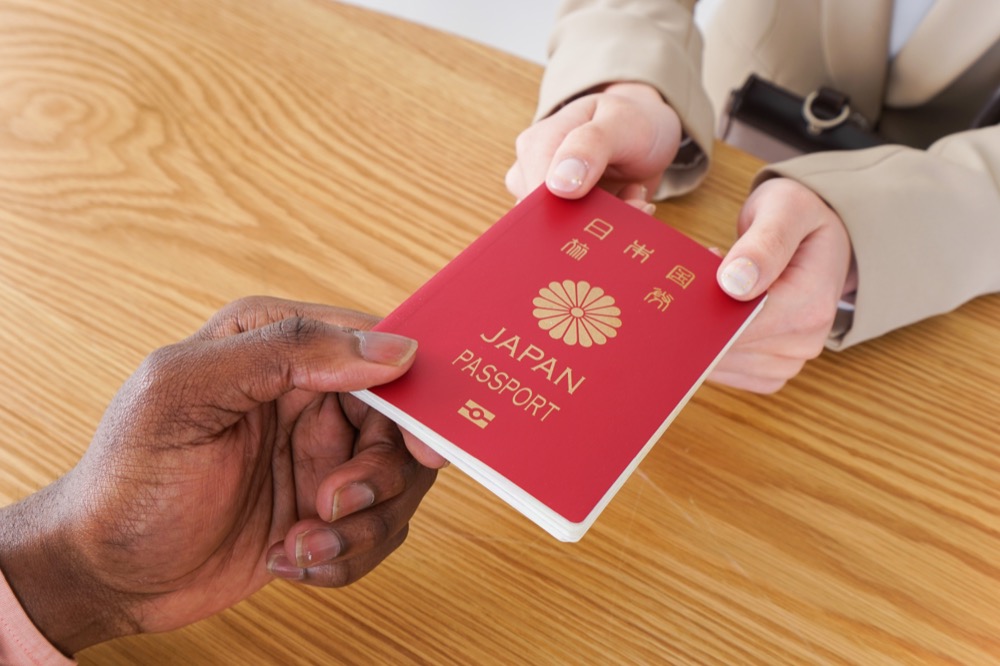
The pickup process is straightforward. You present a reservation confirmation displayed on a smartphone and provide your passport for identification. Staff then hand over the pocket Wi-Fi unit along with the required accessories.
A few practical points are worth noting. Reservations are usually required in advance, as many providers do not accept walk-in customers or on-site payments. Pickup hours also vary by airport and counter, so confirming operating times before arrival helps avoid delays.
Flexible Return Options Across Japan
Flexible return options make pocket Wi-Fi rentals easier to manage when travel plans include multiple cities. Many providers allow returns at a different airport from the original pickup location, use of airport return boxes before departure, or mail-back returns with a prepaid envelope.
Cross-region travel is common in Japan, with many visitors arriving in Tokyo, traveling through Kyoto or Osaka, and departing from Kansai International Airport. Flexible return systems support this travel flow and eliminate the need to return to the original pickup airport. Mail-back returns are especially convenient for early-morning flights, when airport counters may not yet be open.
How to Set Up and Use Pocket Wi-Fi in Japan
Pocket Wi-Fi devices are designed for simplicity. Setup typically requires only a few minutes and does not involve SIM installation or technical configuration.
Step-by-Step Pocket Wi-Fi Setup After Pickup
After receiving your device:
- Turn on the Pocket Wi-Fi unit using the power button.
- Wait for the device to connect to the mobile network (indicator lights will stabilize).
- Open the Wi-Fi settings on your smartphone, tablet, or laptop.
- Select the network name (SSID) printed on the device or included card.
- Enter the password provided in the kit.
Once connected, your device will access the internet through Japan’s mobile network. No APN configuration is typically required, which simplifies the process compared to inserting a Japanese SIM card.
Connecting Multiple Devices to One Pocket Wi-Fi Unit
A key advantage of pocket Wi-Fi is the ability to connect multiple devices to a single unit simultaneously. Most providers allow multiple simultaneous connections, often supporting up to five devices depending on the plan and hardware.
Smartphones, tablets, laptops, and some handheld gaming devices can all share the same connection. Families often find this setup more cost-effective than buying separate data plans for each person, while business travelers can keep both a laptop and smartphone online without switching networks.
Connection speed is shared across all connected devices, so data-intensive activities like video streaming or large downloads on one device may reduce performance on other devices connected to the same pocket Wi-Fi unit.
Battery Life Expectations and Charging Tips
Pocket Wi-Fi units run on rechargeable batteries, with typical continuous usage lasting around 5 to 6 hours under normal conditions.
To manage battery life effectively, it helps to charge the device fully overnight, carry a portable power bank during long days out, and switch the unit off when an active connection is not needed.
Extended sightseeing days—such as moving between multiple Tokyo neighborhoods or spending a full day exploring Kyoto’s temples—often require at least one mid-day recharge to maintain a stable connection throughout the day.
Pocket Wi-Fi vs Other Internet Options in Japan
Choosing the right connectivity solution depends on your travel style, device usage, and comfort with technical setup.
Pocket Wi-Fi vs SIM Cards in Japan
Pocket Wi-Fi eliminates the need to insert a Japanese SIM card or confirm device compatibility. A data-only SIM requires:
- An unlocked smartphone
- Compatible frequency bands
- Manual configuration in some cases
Pocket Wi-Fi advantages:
- No SIM swapping
- Works with multiple devices
- Suitable for travelers with locked phones
Data-only SIM advantages:
- No extra device to carry
- No separate battery to manage
Detailed comparison available here: SIM Card vs Pocket Wi-Fi in Japan
Pocket Wi-Fi vs eSIM for Japan Travel
eSIM provides digital activation without a physical SIM card. However:
- Device compatibility is required
- Installation must be completed correctly
- Troubleshooting may require Wi-Fi access
Pocket Wi-Fi advantages over eSIM:
- Independent of your phone settings
- Easier for multi-device use
- No profile installation required
eSIM may be sufficient for solo travelers using only one compatible smartphone.
More detailed comparison here: eSIM vs Pocket Wi-Fi Japan
Best Connectivity Option by Travel Style
Solo Traveler
A data-only SIM or eSIM may be sufficient if you use a single device and prefer not to carry extra equipment.
Couples or Families
Pocket Wi-Fi is often more practical, as multiple devices can connect simultaneously.
Business Trip
Private connectivity supports secure communication, video meetings, and document access without relying on hotel Wi-Fi.
Long Stay or Multi-City Trip
Flexible pickup and return options combined with stable connectivity make Pocket Wi-Fi suitable for extended travel across regions.
Selecting the best solution depends on how many devices you use, how much data you consume daily, and whether you prefer convenience over device-level configuration.
Common Pocket Wi-Fi Issues and How to Fix Them

Even the best pocket Wi-Fi in Japan can occasionally run into issues. The good news? Most problems are simple to fix in just a few minutes. Below are the most common issues travelers experience with Japan pocket Wi-Fi rental devices, and what to do if they happen.
Pocket Wi-Fi Is Connected but Has No Internet
If your device shows a Wi-Fi signal but you can’t access websites or apps:
Try the following steps:
- Restart the pocket Wi-Fi device (power off for 10–20 seconds).
- Restart your smartphone or laptop.
- Check if the mobile data service is temporarily unstable in your location (underground areas can affect signal).
- Confirm you haven’t exceeded your plan’s high-speed data limit.
In most cases, a simple reboot resolves the issue.
If problems persist, contact customer support to help troubleshoot connection issues.
Slow Pocket Wi-Fi Speeds in Japan
Slower-than-expected Pocket Wi-Fi performance usually has a clear cause. Speed drops often occur when traveling through subway sections or tunnels, where mobile signals weaken or cut out entirely. Rural or mountainous areas can also reduce signal strength, especially outside major population centers. During peak travel hours, heavy network congestion may affect overall speeds, and plans with fair usage policies can slow connections once high-speed data thresholds are reached.
Several practical steps can help improve performance. Moving closer to a window or reaching an above-ground area often restores signal strength. Restarting the Pocket Wi-Fi unit can help it reconnect to a stronger network, while limiting the number of connected devices can reduce bandwidth sharing. Checking current data usage is also important if the plan includes daily limits or speed caps.
Even with plans marketed as unlimited, speeds may be reduced after heavy use due to fair usage policies. In those cases, performance typically resets once the usage period renews.
Pocket Wi-Fi Battery Draining Too Quickly
Pocket Wi-Fi devices are designed to be compact and portable, so battery management is an important part of daily use. Battery life depends on the model and usage pattern, but most units provide around 8–12 hours of operation under normal conditions.
Several habits can help extend battery life throughout the day. Reducing the number of connected devices lowers overall power consumption, and turning the unit off when internet access is not needed—such as during long train rides—prevents unnecessary drain. Limiting video streaming and other high-bandwidth activities also helps preserve battery life. For full-day sightseeing, a portable power bank is an easy way to stay connected without worrying about battery life.
NINJA WiFi includes charging cables with rentals, and many travelers pair the device with a power bank to maintain reliable connectivity from morning to evening.
Lost, Stolen, or Damaged Pocket Wi-Fi Devices
If a Pocket Wi-Fi device is lost, stolen, or damaged, contact customer support as soon as possible and follow their instructions for replacement or repair.
NINJA WiFi provides optional insurance plans that can reduce financial liability in the event of loss or damage. Without insurance, travelers may be responsible for replacement fees, which vary depending on the device and the circumstances.
It is always a good idea to review the rental agreement carefully and consider insurance coverage before traveling, ensuring peace of mind throughout your trip.
When to Switch to a Backup Connectivity Option
Although pocket Wi-Fi in Japan is generally reliable, having a backup connection can be useful in certain situations, such as device malfunctions, unexpected battery failure, travel to extremely remote areas, or when uninterrupted connectivity is critical for business.
Many travelers combine their pocket Wi-Fi with a secondary eSIM, a home carrier’s roaming plan, or hotel Wi-Fi to stay connected at all times. Maintaining a backup option offers extra peace of mind, particularly for business trips or tightly scheduled itineraries where lost connectivity could cause delays or complications.
Is Pocket Wi-Fi Worth It for Traveling in Japan?
With so many connectivity options available — SIM cards, eSIMs, public Wi-Fi — many travelers ask whether pocket Wi-Fi rental in Japan is truly worth it.
The answer depends on your travel style.
When Pocket Wi-Fi Is the Best Choice
Pocket Wi-Fi is often the ideal solution for:
- Families or groups sharing the internet
- Travelers with multiple devices (phone, tablet, laptop)
- Digital nomads or remote workers
- Travelers who don’t want to swap SIM cards
- Visitors with locked phones
- Long sightseeing days require stable battery performance
Because one device can connect multiple users, it’s often more cost-effective than buying multiple SIM cards.
When SIM Cards or eSIMs Might Be Sufficient
A SIM card or eSIM may be enough if:
- You’re traveling solo
- You only need data on one smartphone
- You prefer not to carry an extra device
- Your phone supports eSIM and is unlocked
Each option has advantages depending on convenience, flexibility, and budget.
Why Many Travelers Combine Pocket Wi-Fi With Other Options
Many travelers adopt a hybrid connectivity strategy to ensure continuous internet access. Pocket Wi-Fi often serves as the primary connection for multiple devices, an eSIM provides a backup in case of interruptions, and hotel Wi-Fi can supplement usage during overnight stays.
This approach is especially popular among business travelers, digital nomads, and content creators who cannot afford downtime or interrupted access while working or uploading content on the go.
Frequently Asked Questions About Pocket Wi-Fi in Japan
Below are answers to the most common questions about Japan pocket Wi-Fi rental.
How Many Devices Can One Pocket Wi-Fi Connect?
Most pocket Wi-Fi units support multiple simultaneous connections (commonly 3–5 devices, depending on the model).
For families or small groups, one unit is typically sufficient.
Can I Use Pocket Wi-Fi Anywhere in Japan?
Pocket Wi-Fi works across most urban areas in Japan, including:
- Tokyo
- Osaka
- Kyoto
- Hokkaido
- Fukuoka
- Major tourist regions
Coverage may weaken:
- Underground (subways)
- Inside tunnels
- In remote mountainous areas
Overall, Japan has a strong nationwide mobile network infrastructure.
Is Pocket Wi-Fi Secure for Banking and Work?
Yes. Pocket Wi-Fi creates a private network between your device and the router.
It is generally more secure than free public Wi-Fi networks. However, for sensitive work or banking, using a VPN is always recommended.
Can I Pick Up a Pocket Wi-Fi at One Airport and Return at Another?
Yes. NINJA WiFi allows flexible return options, including:
- Returning at a different airport
- Airport return boxes
- Mail-back options within Japan
What Happens If I Forget to Return the Device?
If a device is not returned by the scheduled date:
- Additional daily rental charges may apply.
- Replacement fees may be charged if the device is not recovered.
If you realize you forgot to return it, contact customer support immediately for guidance.
Conclusion
Choosing the right internet solution can significantly impact your travel experience in Japan. While SIM cards and eSIMs work for some travelers, pocket Wi-Fi remains one of the most versatile and dependable options, especially for families, groups, and longer stays.
With nationwide airport pickup locations, flexible return methods, multiple data plans, and reliable coverage, NINJA WiFi offers a practical solution tailored to modern travel needs.
Before you finalize your Japan itinerary, consider the connectivity factor. A simple reservation can eliminate one of the biggest travel uncertainties and ensure you stay connected from arrival to departure.