




Mobile Suica: How to Set Up Suica on iPhone Using Apple Wallet
Mobile Suica allows you to use your iPhone as a digital transit card in Japan. Once added to Apple Wallet, you can simply tap your phone at train ticket gates, convenience stores, vending machines, and many other locations that accept IC card payments.
Setting up Mobile Suica takes only a few minutes, but some users have questions during the process, such as how to add the card, how to recharge it, or why charging sometimes fails. In addition, travelers may wonder about the difference between Mobile Suica and Welcome Suica Mobile.
This guide explains how to set up Mobile Suica on an iPhone, add money using Apple Pay, use it for trains and shopping, and troubleshoot common issues. Since setup and digital charging require internet access, having reliable connectivity can make the process much smoother.
Mobile Suica: Why Travelers Use Suica on iPhone Instead of a Physical Card
Many visitors to Japan traditionally purchased a physical Suica card at train stations. Mobile Suica lets you use the same transportation and payment functions directly on your smartphone. Apple Wallet integration enables travelers to store their cards digitally and use them on iPhone or Apple Watch at ticket gates, convenience stores, vending machines, and many retail locations across Japan.
Mobile Suica eliminates the need to carry a plastic card while providing flexible charging options through Apple Pay. The digital format also reduces the need to visit ticket machines for recharging.
For travelers planning to use trains frequently in cities such as Tokyo, Mobile Suica provides a convenient and efficient payment method.
Tap Your iPhone for Trains, Buses, and Payments
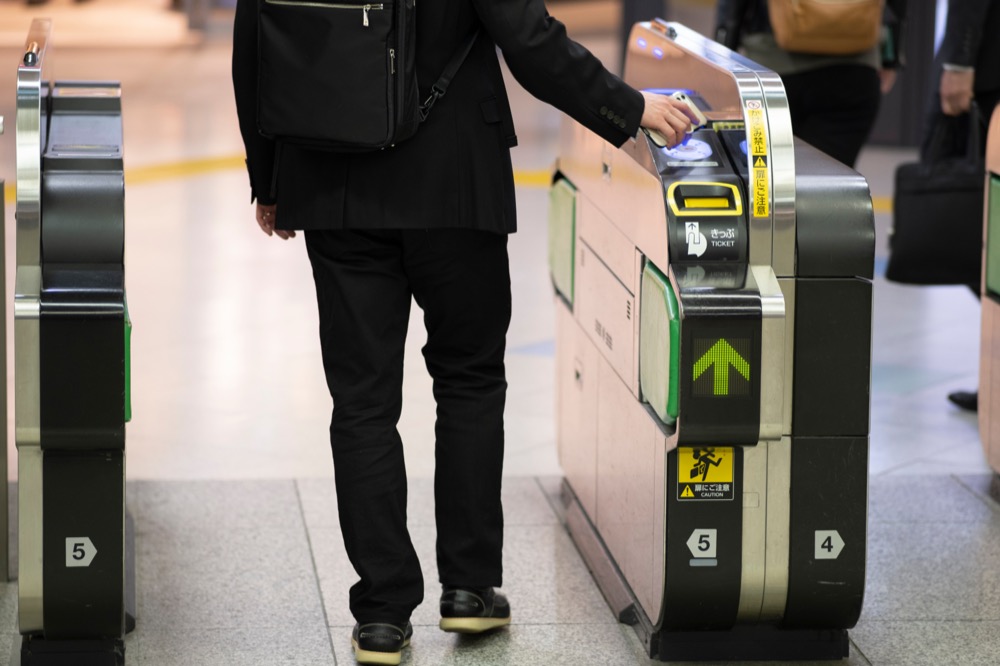
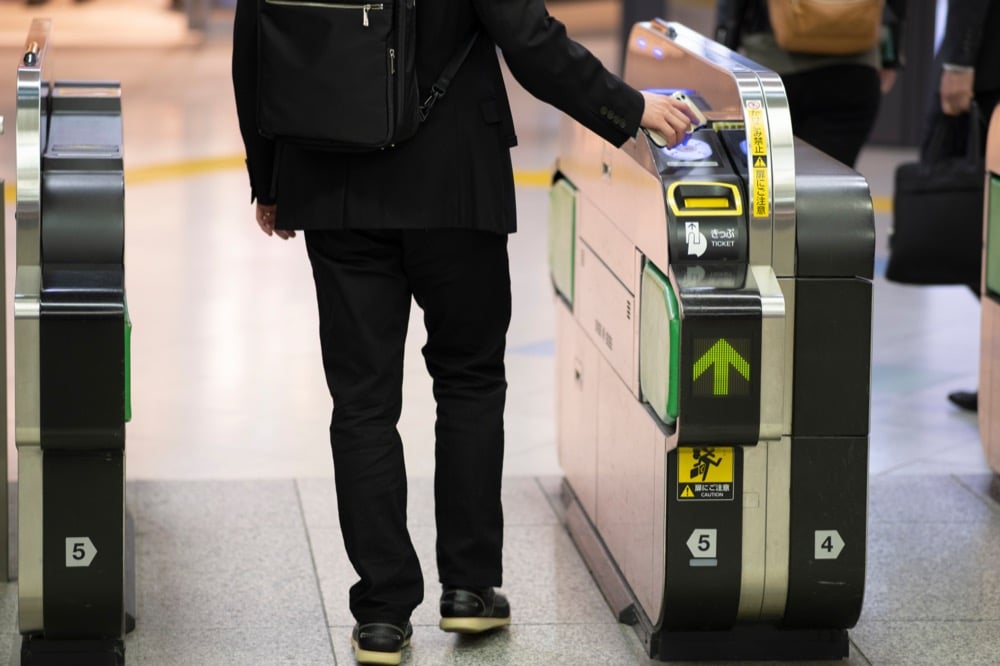
Mobile Suica uses NFC (Near Field Communication) technology built into compatible smartphones. When entering train stations, passengers simply hold their iPhone or Apple Watch near the ticket-gate reader. The gate opens automatically once the fare is processed.
The same tap-to-pay function works at many locations beyond train stations, including:
- Convenience stores such as 7-Eleven, Lawson, and FamilyMart
- Vending machines across train stations and tourist areas
- Restaurants and shops that accept transportation IC cards
Express Transit mode allows the device to work without opening an app or authenticating with Face ID. The iPhone only needs to be placed near the reader for the payment to complete.
Mobile Suica vs Welcome Suica Mobile: What’s the Difference?
Two mobile transit card options are available to iPhone users in Japan: Mobile Suica and Welcome Suica Mobile. Both allow users to ride trains and make small payments using a smartphone, but the target users and card conditions differ.
Understanding the differences helps travelers choose the most suitable option before setting up the card.
Mobile Suica: Designed for Residents and Long-Term Users
Mobile Suica functions as the digital version of the standard Suica card issued by East Japan Railway Company (JR East). Mobile Suica accounts do not expire, making the service suitable for residents or travelers who visit Japan regularly.
Key characteristics include:
- No fixed expiration period
- Integration with Apple Wallet and the Mobile Suica app
- Charging through Apple Pay or compatible credit cards
- Balance limit of 20,000 yen
Mobile Suica is widely used by commuters throughout Japan for daily transportation and small purchases.
Welcome Suica Mobile: Tourist-Friendly With International Card Support
Welcome Suica Mobile is designed primarily for short-term visitors. The service allows many international credit cards to be used to charge the balance, making it easier than the standard Mobile Suica setup.
Important differences include:
- Valid for 180 days after activation
- Designed specifically for travelers visiting Japan
- Charging with international credit cards is generally supported
Travelers staying in Japan for a limited period may find Welcome Suica Mobile easier to use, while long-term residents often choose Mobile Suica.
Why Many Travelers Prefer Digital Transit Cards in Japan
Digital transit cards simplify travel throughout Japan’s extensive railway networks. Carrying fewer physical cards reduces the risk of losing important items while navigating busy train stations.
Mobile Suica offers several practical advantages:
- Quick entry through ticket gates using the smartphone
- Easy balance checks within Apple Wallet
- Fast recharging through Apple Pay when internet access is available
Digital transit cards also integrate well with travel apps, including route planners and navigation tools.
For travelers who rely heavily on train transportation in cities such as Tokyo, Osaka, and Kyoto, Mobile Suica offers a streamlined travel experience.
Mobile Suica: Device Compatibility Requirements
Mobile Suica requires specific hardware features to function correctly. Before attempting to set up the card, users should confirm that their smartphone or wearable device supports the necessary NFC technology and operating system versions.
iPhone Models That Support Mobile Suica (iPhone 8 or Later)
Mobile Suica works on iPhones equipped with NFC-F (FeliCa) technology. Apple introduced full support for Japanese transit cards beginning with the iPhone 8 and later models.
Compatible devices generally include:
- iPhone 8 and newer models
- Devices running iOS 14 or later
- iPhones with Apple Wallet support
Earlier iPhone models do not support the required FeliCa system used by Japanese transit cards.
Using Mobile Suica With Apple Watch
Apple Watch also supports Mobile Suica when paired with a compatible iPhone. Users can add the Suica card directly to Apple Wallet on the watch.
Supported models typically include:
- Apple Watch Series 3 or later
- Devices running a compatible version of watchOS
The watch can be tapped directly on ticket gates, allowing convenient entry even when the iPhone remains in a bag or pocket.
Android Compatibility: Osaifu-Keitai Supported Devices
Mobile Suica is also available on Android smartphones that support Osaifu-Keitai, the Japanese mobile wallet platform.
Common requirements include:
- Smartphones with FeliCa NFC chips
- Devices officially supporting Osaifu-Keitai services
- Installation of the Mobile Suica Android app
Many international Android devices lack the required hardware, so compatibility should be confirmed before attempting installation.
Mobile Suica: What to Prepare Before Setting Up Suica on iPhone
A successful Mobile Suica setup requires several basic preparations. Confirming the following settings in advance helps ensure a smooth installation process.
Stable Wi-Fi or Data Connection (Required for Setup)
Mobile Suica setup requires a stable internet connection. Apple Wallet communicates with the Suica system servers during card creation and when charging the initial balance.
Wi-Fi or mobile data is required to:
- Add the Suica card to Apple Wallet
- Complete the first balance charge through Apple Pay
- Verify account details during activation
Without internet connectivity, the setup process cannot be completed.
Enable Location Services on iPhone
Location services should be enabled in the iPhone settings before adding a transit card. Apple Wallet uses location information to support certain transportation features and system verifications.
The setting can be checked through:
Settings → Privacy & Security → Location Services
Location access should remain enabled for Apple Wallet during setup.
Add a Credit or Debit Card to Apple Pay
Mobile Suica charging through Apple Wallet requires a payment card registered in Apple Pay.
Users should confirm:
- At least one credit or debit card is added to Apple Pay
- The card is valid for digital payments
- Apple Pay authentication is functioning correctly
Some international cards may experience compatibility limitations when charging standard Mobile Suica accounts.
Check SIM Unlock Status for International Devices
Travelers bringing smartphones from outside Japan should confirm that their devices are SIM-unlocked. SIM restrictions may prevent certain mobile services or payment verifications from functioning correctly.
Unlocked devices allow greater flexibility when connecting to Japanese mobile networks or portable Wi-Fi routers.
Why Setting Up Mobile Suica Right After Arriving in Japan Is Easier With Wi-Fi
Mobile Suica activation often takes only a few minutes with a stable internet connection. Many travelers prefer to complete the setup immediately upon arrival in Japan, so that train travel becomes available right away.
Portable internet solutions can help travelers complete the process quickly after landing. Reliable connectivity ensures that Apple Wallet activation, balance charging, and payment verification all proceed smoothly.
Mobile Suica: Step-by-Step Setup Using Apple Wallet

Setting up Mobile Suica in Apple Wallet is straightforward and usually takes only a few minutes. The setup requires an active internet connection because Apple Wallet must communicate with the Suica system and complete the first balance charge through Apple Pay.
The following steps explain how to add Mobile Suica to an iPhone.
Step 1: Open the Wallet App
Locate and open the Wallet app on your iPhone. Apple Wallet stores credit cards, transit cards, and other digital passes used for payments.
The Wallet home screen displays any cards that are already connected to Apple Pay.
Step 2: Tap the “+” Button
Tap the “+” button in the upper-right corner of the Wallet screen. The button opens the card setup menu, where new payment cards and transit cards can be added.
Apple Wallet will then display a list of available card types.
Step 3: Select “Transit Card”
From the available options, select “Transit Card.” Apple Wallet supports several transportation cards used in different countries.
The list will include transit cards that are compatible with your region and device.
Step 4: Choose Suica
Scroll through the list and select Suica. Apple Wallet will then display basic information about the transit card and explain how the card works with Express Transit.
Selecting Suica begins the process of creating a digital card.
Step 5: Enter Your Initial Charge Amount
Apple Wallet requires an initial balance when creating a Mobile Suica card. Enter the amount you want to load onto the card.
Typical starting amounts range from 1,000 to 3,000 yen, depending on travel plans. The balance can be increased later at any time.
Step 6: Confirm Payment With Apple Pay
Apple Wallet will request confirmation through Apple Pay to complete the first charge.
The system processes the payment using the credit or debit card registered to Apple Pay. After confirmation, the Mobile Suica card will appear in Apple Wallet and is ready for use.
Setup Time: About 3–5 Minutes With a Stable Internet Connection
Mobile Suica setup typically takes 3–5 minutes when the device has a stable Wi-Fi or mobile data connection. Apple Wallet requires internet access to verify the payment and activate the digital transit card.
Unstable connections may interrupt the setup process or delay activation. Completing the setup while connected to a reliable Wi-Fi network helps ensure the process completes smoothly.
Mobile Suica: How to Add Money and Recharge Your Balance
After the initial setup, Mobile Suica can be recharged at any time. Adding funds ensures that the balance remains sufficient for train fares and small purchases.
Several charging methods are available depending on the traveler’s preference.
Charging Mobile Suica With Apple Pay
The most common way to recharge Mobile Suica is through Apple Pay. The charging process can be completed directly from the iPhone.
Steps generally include:
- Open the Wallet app
- Select the Suica card
- Tap Add Money
- Enter the recharge amount
- Confirm the payment using Apple Pay authentication
The balance updates immediately after the payment is processed.
Using the Wallet App or Suica App to Add Funds
Mobile Suica balances can be managed through either:
- Apple Wallet, where the Suica card is stored
- The Mobile Suica app, which provides additional account management features
Both options allow users to check their balances and recharge their cards digitally.
Why Internet Connection is Required for Digital Charging
Digital charging requires internet access because the payment must be verified through Apple Pay and the Suica system servers.
Internet connectivity is needed to:
- Process the payment authorization
- Update the card balance in the system
- Synchronize the transaction with the mobile device
Without Wi-Fi or mobile data, Apple Pay charging cannot be completed.
Cash Recharge Options at Stations and Convenience Stores
Mobile Suica can also be recharged with cash at certain locations.
Common recharge points include:
- Train station ticket machines that support IC card charging
- Convenience stores such as 7-Eleven, Lawson, and FamilyMart
At ticket machines, users select the IC card recharge option, place the phone on the reader, and insert cash.
Mobile Suica Balance Limit: Up to 20,000 Yen
Mobile Suica cards have a maximum balance limit of 20,000 yen. Once the balance reaches its limit, additional charges are not possible until part of the balance is used.
Many commuters maintain balances between 3,000 and 10,000 yen, which usually covers several days of train travel in major cities.
Mobile Suica: How to Use Suica on iPhone for Trains and Shopping

Mobile Suica works in the same way as a physical IC card. The iPhone or Apple Watch simply replaces the plastic card when interacting with ticket gates or payment readers.
Passing Through Ticket Gates With Express Transit
Express Transit mode allows the iPhone to function as a transit card without unlocking the device.
When approaching a ticket gate:
- Hold the top of the iPhone near the IC reader
- Wait for the confirmation sound and green gate signal
- Walk through the gate
Face ID or Touch ID authentication is not required when Express Transit is enabled.
Using Mobile Suica at Convenience Stores and Vending Machines
Mobile Suica can also be used for everyday purchases across Japan. Many payment terminals accept transportation IC cards.
Common locations include:
- Convenience stores
- Vending machines
- Supermarkets
- Restaurants and cafés
- Coin lockers in train stations
Payment is completed by holding the phone near the IC reader at the register.
Battery Considerations When Using Mobile Suica
Mobile Suica requires sufficient battery power for the device to operate normally. If your iPhone battery becomes completely depleted, the Suica card may not function at ticket gates or payment terminals.
Travelers who rely heavily on Mobile Suica often carry portable chargers to keep their devices charged during long travel days.
Where to Recharge Your Phone While Using Mobile Suica
Because Mobile Suica relies on your iPhone, keeping your device charged is essential. After a long day out, running low on battery can prevent you from passing ticket gates or making payments.
Japan offers several convenient ways to recharge while you’re on the go.
Portable Rental Chargers Like ChargeSPOT
ChargeSPOT is a widely available battery rental service. Through the app, you can find nearby stations, rent a charger, and return it at a different location—making it easy to stay powered throughout the day.
Cafés With Power Outlets Like Starbucks and Doutor Coffee
Cafés such as Starbucks and Doutor Coffee often offer seats with power outlets. Bring your own cable and adapter, and you can recharge while taking a short break.
Finding Charging Spots on the Go
Apps that locate power outlets can help you quickly find nearby charging-friendly cafés or public spaces, which is useful if you prefer not to carry extra gear.
A Power Bank Is Still the Most Reliable Option
While these options are helpful, carrying a power bank remains the most reliable way to keep your phone charged, especially since Mobile Suica depends on it for both transport and payments.
Why You Usually Don’t Need to Say “Suica” When Paying
Many stores in Japan accept several IC card brands such as Suica, PASMO, and ICOCA. Payment terminals automatically detect the card when the device touches the reader.
For that reason, staff members often simply instruct customers to tap the IC reader rather than specifying the card type.
Holding the iPhone near the reader is usually sufficient to complete the transaction quickly.
Mobile Suica: Troubleshooting Common Setup and Charging Problems
Mobile Suica setup and charging usually function smoothly, but several common issues may appear during installation or when adding funds. Most problems relate to device settings, internet connectivity, or system maintenance periods.
Reviewing the following troubleshooting steps can help resolve common Mobile Suica issues.
Mobile Suica Not Setting Up: Check Internet, Location Services, and iOS Version
Mobile Suica setup requires both system compatibility and a stable internet connection. Problems during the setup process often occur when a required setting is not enabled.
Common points to confirm include:
- Stable Wi-Fi or mobile data connection
- Location Services enabled in iPhone settings
- Compatible iOS version installed
- Apple Wallet is functioning correctly
Apple Wallet communicates with the Suica system during card creation and when charging the initial balance. Unstable connections may interrupt the process before activation is complete.
Mobile Suica Not Charging: Verify Card Validity and Balance Limits
Charging errors sometimes occur when the payment method or balance conditions prevent additional funds from being added.
Users should confirm the following:
- The credit or debit card registered to Apple Pay is valid
- The Mobile Suica balance has not reached the 20,000 yen limit
- Apple Pay authentication is functioning normally
If the balance has already reached the limit, additional charging will only become available after some of the stored value is used.
Maintenance Hours That Prevent Charging (Typically 2–4 AM)
Mobile Suica system maintenance occasionally occurs during late-night hours. During these periods, certain services may temporarily stop working.
Typical maintenance windows occur between approximately 2:00 AM and 4:00 AM Japan time. During maintenance periods, users may experience:
- Charging failures
- Temporary access limitations in the Mobile Suica app
- Delayed transaction processing
Attempting the transaction again after the maintenance period usually resolves the issue.
Gate Errors When Entering Stations: Check Default Transit Card Settings
Ticket-gate errors can occur if multiple payment cards are present in Apple Wallet.
Confirm the following settings:
- Suica is selected as the default transit card
- Express Transit mode is enabled
- Sufficient balance remains on the card
Express Transit mode allows the iPhone to function as a transit card without unlocking the device. Incorrect settings may prevent the gate reader from properly detecting the card.
Suica App Not Appearing in the App Store: Region Settings Issues
Some users may not immediately find the Mobile Suica app in the App Store. App availability may depend on the region settings for the Apple ID.
Users should check:
- Apple ID region configuration
- App Store search results under “Suica” or “Mobile Suica”
- iPhone system compatibility with the latest version of the app
In many cases, Mobile Suica can still be added directly through Apple Wallet, even without installing the standalone app.
Why Having Internet Access Helps Solve Mobile Suica Issues Faster
Many Mobile Suica troubleshooting steps require internet access. Online connectivity allows users to:
- Check official support guidance
- Verify system maintenance announcements
- Retry Apple Pay transactions
- Update card information through Apple Wallet
Reliable internet access helps resolve setup and charging issues quickly, especially when travelers are navigating transportation systems for the first time.
Mobile Suica: Mobile Suica vs Welcome Suica Mobile Comparison
Mobile Suica and Welcome Suica Mobile offer similar transportation and payment features, but each service is designed for different user types. Understanding the differences can help travelers select the most appropriate option.
Who Each Card Is Designed For
Mobile Suica primarily serves residents and long-term users who regularly travel within Japan. The card does not have a fixed expiration date and functions as a permanent transit card.
Welcome Suica Mobile is designed specifically for short-term visitors. The service allows many international credit cards to be charged more easily.
Credit Card Compatibility
Mobile Suica charging via Apple Pay may be limited by the payment card issuer. Some international credit cards may not always process transactions successfully.
Welcome Suica Mobile is designed to support a wider range of international credit cards, making the service easier for travelers who do not hold Japanese payment cards.
Validity Period
The validity periods differ significantly between the two services.
- Mobile Suica: No expiration period
- Welcome Suica Mobile: Valid for 180 days after activation
Travelers visiting Japan for extended periods may prefer Mobile Suica, while short-term visitors often choose Welcome Suica Mobile.
Refund Policies and Limitations
Mobile Suica balances may be refunded under certain conditions through the official service process.
Welcome Suica Mobile typically does not allow balance refunds after activation. Remaining balances must be used before the 180-day validity period ends.
| Feature | Mobile Suica | Welcome Suica Mobile |
| Target users | Residents / long-term visitors | Short-term travelers |
| Credit card compatibility | Some international cards are supported | Wider international card support |
| Validity period | No expiration | 180 days |
| Refund availability | Possible in certain cases | Generally not available |
| Balance limit | 20,000 JPY | 20,000 JPY |
Frequently Asked Questions About Mobile Suica
Mobile Suica is convenient and widely used, but many travelers have a few common questions before relying on it during their trip. Below, we answer the most frequently asked questions to help you understand how Mobile Suica works, what to expect, and how to use it smoothly while traveling in Japan.
Can Foreign Visitors Use Mobile Suica on iPhone?
Yes. Many international travelers use Mobile Suica on compatible iPhones. Setup requires Apple Wallet, a compatible device, and a valid payment card for charging the balance.
Some travelers may prefer Welcome Suica Mobile because it more widely accepts international credit cards.
Do You Need Internet Every Time You Use Mobile Suica?
Internet access is not required when using Mobile Suica at ticket gates or payment terminals. NFC communication between the device and the reader processes the transaction.
Internet connectivity is required for:
- Initial setup
- Balance charging through Apple Pay
- Certain account management actions
What Happens If Your iPhone Battery Dies?
Mobile Suica requires the iPhone to have sufficient battery power. If the battery becomes fully depleted, the device may not function at ticket gates or payment terminals.
Travelers who rely heavily on Mobile Suica often carry portable battery packs to keep their devices charged throughout the day.
Can You Transfer Mobile Suica to a New iPhone?
Yes. Apple Wallet allows users to transfer Mobile Suica to a new iPhone during device migration or iCloud restoration.
The process typically involves removing the card from the original device and adding it again to the new device through Apple Wallet.
Is Mobile Suica Accepted Outside Train Stations?
Yes. Mobile Suica functions as an electronic money card and is widely accepted across Japan.
Common locations include:
- Convenience stores
- Vending machines
- Supermarkets
- Restaurants and cafés
- Coin lockers at train stations
Many everyday purchases can be completed simply by tapping the iPhone near an IC payment reader.
Mobile Suica: Why Reliable Internet Helps With Setup and Charging
Mobile Suica is designed to make transportation and small purchases in Japan faster and more convenient. However, several key parts of the system rely on a stable internet connection.
Having reliable connectivity ensures that setup, charging, and troubleshooting can be completed smoothly.
Mobile Suica Setup Requires Internet Connection
When adding Mobile Suica to Apple Wallet, the device must connect to Apple’s payment system and the Suica service network.
During setup, the iPhone needs internet access to:
- Create the digital Suica card
- Process the initial balance charge
- Activate the card in Apple Wallet
Without Wi-Fi or mobile data, the setup process cannot be completed.
Apple Pay Charging Requires Network Access
Adding money to Mobile Suica through Apple Pay also requires an active internet connection.
The system must verify the payment and update the balance through the Suica servers before the transaction is finalized. If the network connection is unstable, the recharge may fail or take longer to process.
For travelers who rely on Mobile Suica daily, consistent internet access makes it easier to recharge their cards at any time.
Internet Helps When Troubleshooting Suica Problems
When Mobile Suica issues occur, such as charging errors or setup failures, users often need internet access to resolve the problem.
Internet access allows travelers to:
- Check system maintenance announcements
- Verify Apple Pay payment status
- Review troubleshooting steps
- Contact support services if necessary
Without a connection, diagnosing and fixing these issues can become more difficult, especially when traveling between stations.
Why Many Travelers Prepare Wi-Fi Before Arriving in Japan
Because the Mobile Suica setup requires internet access, many travelers prepare a Wi-Fi solution before arriving in Japan.
Having connectivity immediately after landing allows visitors to:
- Set up Mobile Suica right away
- Add funds through Apple Pay
- Check train routes and station information
- Use navigation and translation apps
Preparing for internet access in advance helps travelers avoid connectivity issues when navigating Japan’s transportation systems for the first time.
Mobile Suica: Start Your Japan Trip Connected With NINJA WiFi
For many travelers, the easiest way to ensure stable internet access in Japan is by renting a pocket Wi-Fi device.
NINJA WiFi offers portable Wi-Fi routers that allow smartphones, tablets, and laptops to connect to the internet throughout Japan. A single device can be shared among multiple devices, making it convenient for travelers and groups.
One major advantage is the ability to pick up the Wi-Fi device directly at major international airports in Japan, allowing travelers to connect to the internet immediately after arrival.
With NINJA WiFi, travelers can:
- Set up Mobile Suica immediately after landing
- Recharge Suica anytime through Apple Pay
- Troubleshoot setup or charging problems online
- Navigate train routes, maps, and transportation apps
Some airports also offer Smart Pickup lockers, allowing travelers to collect their reserved Wi-Fi device quickly by scanning a QR code, often without waiting in line.
Because Mobile Suica setup and charging depend on network connectivity, securing reliable internet early in the trip can make traveling around Japan significantly smoother.
By reserving NINJA WiFi before arrival, travelers can start their trip connected and use Mobile Suica with confidence from the very first train ride.
Conclusion
Mobile Suica makes traveling around Japan easier by allowing you to pay for trains, buses, and everyday purchases with your iPhone. After adding the card to Apple Wallet, you can simply tap your device at ticket gates and payment terminals across the country.
Since setting up Mobile Suica and charging it with Apple Pay requires internet access, having reliable connectivity is important for a smooth experience. It’s recommended to arrange this in advance—registering with NINJA WiFi is a convenient option for many travelers. With a stable connection, you can set up your card quickly, recharge anytime, and navigate Japan’s transportation system with confidence.