




Bullet Train (Shinkansen) Free Wi-Fi: What to Expect by Train Type and Car Class

Free Wi-Fi is available on most Shinkansen lines (also known as bullet trains), but it is best viewed as a convenience rather than a guaranteed high-speed connection. Performance depends heavily on the route, terrain, and how crowded the train is. Therefore, one ride may handle basic browsing smoothly, while another struggles to load even a simple webpage.
For travelers who need more consistent connectivity, services such as NINJA WiFi are often used as a reliable backup. Understanding these differences helps set realistic expectations and avoid frustration.
Is Free Wi-Fi Available on All Shinkansen Lines?
Free Wi-Fi is available on most major Shinkansen routes, including the busy corridor connecting Tokyo, Osaka, and Fukuoka, as well as many regional lines. Availability itself is rarely the issue today. Consistency and speed are.
Shinkansen Routes and the Wi-Fi
If you are traveling in Japan, you will most likely take the Shinkansen at least once during your trip. Different Shinkansen lines use different Wi-Fi networks, and connection quality can vary depending on the route you are traveling.
Tokaido Shinkansen
On the Tokaido Shinkansen between Tokyo and Shin-Osaka, Wi-Fi is offered across all cars under the name “Shinkansen Free Wi-Fi.” The Tokaido is the most crowded high-speed rail line in the country: during busy hours, connections are often slow to the point that even sending a message can be a struggle.
Sanyo Shinkansen
The Sanyo Shinkansen from Shin-Osaka to Hakata uses the same “Shinkansen Free Wi-Fi” and provides coverage across all cars. There tend to be fewer passengers on the Sanyo line than on the Tokaido Shinkansen, which makes the connection feel more stable, though long tunnels will still interrupt service.
Tohoku Shinkansen
The Tohoku Shinkansen running north from Tokyo to Shin-Aomori uses “JR EAST FREE Wi-Fi.” Coverage is consistent across all cars, but the route passes through many tunnels and mountains, causing disconnections, especially in suburban areas.
Hokuriku Shinkansen
Wi-Fi is available in every car between Tokyo and Kanazawa. The network switches between JR East and JR West systems depending on the region. The Hokuriku route includes some of Japan’s longest tunnels, making the connection noticeably less stable than other lines.
Joetsu Shinkansen
Running from Tokyo to Niigata, the Joetsu line uses “JR EAST FREE Wi-Fi.” While coverage is available throughout the train, connectivity varies with congestion and terrain.
Kyushu Shinkansen
Operating between Hakata and Kagoshima-Chuo, the Kyushu line offers “JR Kyushu Free Wi-Fi.” Trains are often less crowded, which can help improve stability. Still, tunnel sections regularly interrupt the signal.
Hokkaido Shinkansen
Connecting Shin-Aomori and Sapporo, the Hokkaido line provides “JR EAST FREE Wi-Fi” in all cars. The route includes the Seikan Tunnel—the longest undersea tunnel linking Honshu and Hokkaido—along with extended rural sections. As a result, connections tend to work in short bursts rather than continuously.
How to Connect to the Shinkansen Free Wi-Fi
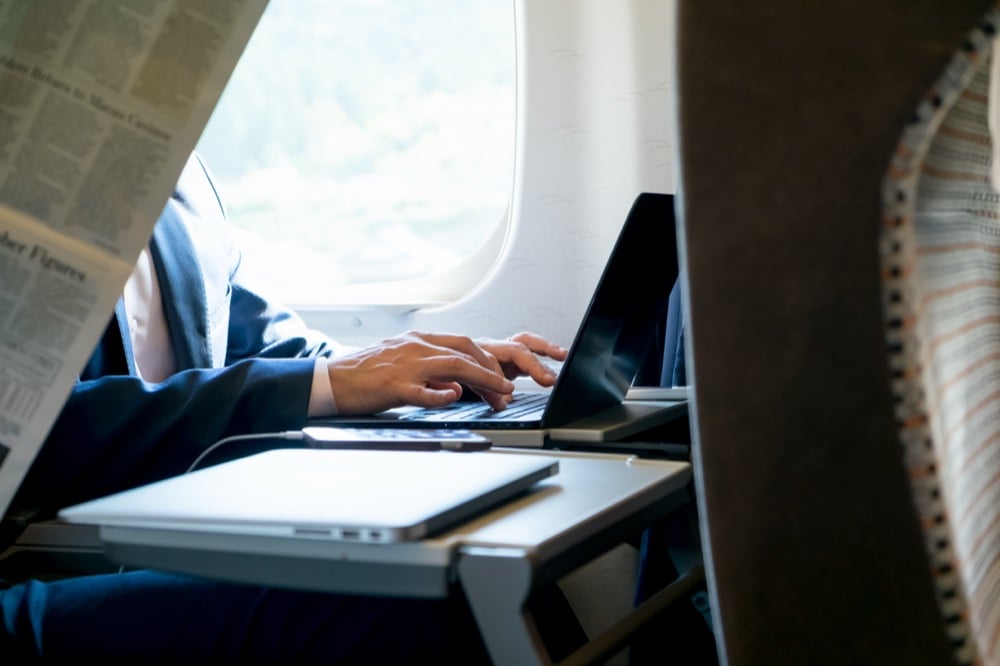
Connecting typically takes only a few minutes:
- Open your device’s Wi-Fi settings
- Select the available network (such as “Shinkansen Free Wi-Fi” or “JR EAST FREE Wi-Fi”)
- A browser page will open automatically
- Enter your email address or log in via social media (on supported routes)
What to Expect When Using Free Shinkansen Wi-Fi
Using free Wi-Fi on the Shinkansen is pretty simple, but the experience can vary. Most travelers use it briefly, then switch to mobile data once they see how it is.
Speed Quality
On less crowded trains, speeds typically range from 5–10 Mbps, at which level messaging, email, and light browsing work reasonably well.
During peak travel hours, speeds often drop to 1–3 Mbps. Pages load slowly, images lag, and streaming becomes unreliable. Inside tunnels, connections usually disconnect completely. On routes with frequent or long tunnels, repeated interruptions can become frustrating.
Overall, Shinkansen free Wi-Fi works best for quick tasks such as checking messages, browsing briefly, or looking up information.
Wi-Fi Limitations
Beyond speed fluctuations, there are additional restrictions that are worth noting ahead.
Most lines have a time limit on each connection. On “Shinkansen Free Wi-Fi,” each session runs for 30 minutes. You can log back in as many times as you like, but you will be disconnected at times. “JR EAST FREE Wi-Fi” is more generous, allowing up to 3 hours of connection per session, and you can reconnect again once the time runs out. The time limit for each session is usually clearly shown on the login page when you connect to Wi-Fi.
Additionally, only one device can be connected at a time, which can be limiting if you want to use multiple devices simultaneously.
The Tunnel Problem: Why Shinkansen Wi-Fi is Often Unstable

One of the main reasons Shinkansen Wi-Fi often feels inconsistent is where they travel. The high speed, combined with Japan’s geography, makes it difficult to maintain a steady connection.
How Shinkansen Speed and Geography Affect Wi-Fi Stability
The combination of high travel speeds and Japan’s geography makes stable onboard connectivity difficult:
- The Tokaido line features many short tunnels, resulting in brief interruptions.
- The Sanyo line has fewer tunnels overall, but some are long enough to result in extended dropouts.
- The Tohoku line passes through mountainous terrain with frequent tunnels, leading to repeated signal fading.
- The Hokuriku and Hokkaido lines experience the most prolonged interruptions due to extended tunnel sections.
In short, infrastructure and geography—not just passenger volume—significantly affect stability.
Using Shinkansen Wi-Fi for Business
Shinkansen Wi-Fi can handle email, messaging, and light browsing, but it has its limitations. VPN connections often work, but reliability depends on route conditions and congestion.
Video calls are the most challenging activity. They require consistent bandwidth, and interruptions frequently cause frozen screens or dropped audio, which is why business travelers tend to avoid relying on Shinkansen Wi-Fi.
Does the Green Car Have Better Wi-Fi Stability?
The Green Car does not have a separate Wi-Fi system. It uses the same network as the rest of the cars, so speeds and stability will be the same.
What does change is the onboard environment. Green Cars have wider seats, more legroom, and generally fewer passengers, which makes the space quieter and more comfortable, especially on busy routes. Power outlets are also typically available at every seat, making it easier to charge devices during the journey.
Ordinary cars are still comfortable and practical for most trips, though they tend to be more crowded during peak hours. Many newer train sets also provide power outlets, depending on the route and train model.
S Work Cars: Designated Seats for Business
S Work Cars on the Tokaido Shinkansen are designed for passengers who plan to work on the train. Phone calls and business meetings are allowed, and the seats must be reserved, though there is no extra charge. Currently, these cars are only available on selected Nozomi and Hikari lines.
S Work Cars use the same Wi-Fi as the rest of the train. However, S Work P Seats, which costs an additional 2,000 yen (as of January 2026), include access to S Wi-Fi for Biz at no extra charge. S Wi-Fi for Biz is more secure, has no session time limit, and is generally faster and more stable, though it is still affected by tunnels and cannot fully avoid interruptions.
Reliable Backup Options for Staying Connected on the Shinkansen
Free onboard Wi-Fi can be useful for quick tasks, but it should not be your only option for connectivity while traveling between cities. Speeds fluctuate, tunnel sections cause frequent interruptions, and crowded trains can significantly reduce performance. Having a backup connection ensures access to navigation, messages, and work tools even when onboard Wi-Fi becomes unreliable.
Mobile Data (SIM or eSIM)
Using a physical SIM card or eSIM typically provides a more stable connection outside tunnels. Mobile networks reconnect faster after brief signal losses and are less affected by the number of passengers online at the same time. Many plans support hotspot sharing, making them suitable for work use.
Pocket Wi-Fi
Pocket Wi-Fi offers one of the most dependable ways to stay connected on the Shinkansen. A single device can support multiple phones, tablets, and laptops simultaneously, making it especially practical for families, groups, or travelers carrying several devices.
Extra Tips
Preparation before your trip can also help. Pre-downloading movies, videos, offline maps, and important documents lets you travel without worrying about connections dropping.
How to Confirm Wi-Fi Availability When Booking Your Trip
Wi-Fi availability can usually be checked when booking your ticket, though the clarity of the information depends on the website you use.
- Ekinet: Wi-Fi information is usually listed in train details.
- Smart EX: All bookable Tokaido, Sanyo, and Kyushu Shinkansen services include Wi-Fi.
- JR West Online Reservation: Wi-Fi availability is shown in train information, which is useful when services vary by train type.
Shinkansen WiFi Japan FAQ: What Travelers Should Know
Free Wi-Fi on Japan’s bullet trains is convenient, but it often raises practical questions once travelers actually try to use it. The FAQs below address the most common concerns about availability, speed, limitations, and real-world usability, based on how Shinkansen Wi-Fi works across different routes and travel conditions.
Is Wi-Fi Free on the Shinkansen?
Yes, Wi-Fi on the Shinkansen is free on most routes and train types. There is no usage fee, and access is included with your ticket. That said, free access does not mean consistent performance. Speeds and stability vary significantly depending on the route, passenger volume, and whether the train is passing through tunnels.
Do Tourists Have Access to Shinkansen Wi-Fi?
Yes, tourists can use Shinkansen Wi-Fi without any restrictions. Login usually requires an email address or, on some routes, social media authentication. A Japanese phone number is not required. Once logged in, the connection works the same way for domestic and international travelers.
Can I Use a VPN?
Yes, VPN connections generally work on Shinkansen Wi-Fi. However, using a VPN often reduces connection speed due to encryption overhead, and frequent tunnel sections can cause brief disconnections that force the VPN to reconnect.
Can I Watch Videos?
Video streaming is possible, but performance varies widely. On less crowded trains and outside tunnel sections, short videos may play at lower resolutions.
Conclusion
For travelers who need dependable connectivity, renting pocket Wi-Fi is often the more reliable choice. Unlike Shinkansen Wi-Fi, it is not shared among hundreds of passengers, and unlike phone tethering, it avoids draining a single device’s battery.
A dedicated pocket Wi-Fi connection remains stable outside tunnel sections and reconnects more smoothly after interruptions.
NINJA WiFi offers pocket Wi-Fi rentals designed specifically for travel across Japan. Travelers can register and reserve in advance through the official NINJA WiFi website, with options for airport pickup or hotel delivery. With a connection arranged before arrival, staying online between cities becomes far more predictable. Instead of wondering whether the train Wi-Fi will hold up, you can travel confidently, knowing reliable connectivity is ready whenever needed.