




Visit Japan Web Guide: What to Do in Immigration and Customs After You Land in Japan
Arriving in Japan for the first time can feel overwhelming, especially after a long flight. From immigration procedures to transportation and connectivity setup, your first hour involves multiple steps that need to be handled quickly and efficiently.
Visit Japan Web simplifies the process by allowing you to complete key entry procedures in advance. However, preparation goes beyond registration. Understanding what to do before landing and immediately after arrival can significantly reduce delays and confusion.
This guide walks you through each step of the arrival process, helping you move smoothly from the airport to your hotel while avoiding common mistakes.
Visit Japan Web Guide: Why Your First Hour in Japan Matters
Your first hour after landing in Japan often determines how smoothly the rest of your trip begins. Japan’s arrival process is efficient and well-organized, but it moves quickly and expects you to be prepared. Without a clear plan, even small points of confusion can slow you down and create unnecessary stress after a long flight.
The Arrival Process is Structured but Can Feel Overwhelming
Airports in Japan, such as Narita, Haneda, and Kansai, follow a clear sequence: immigration, baggage claim, customs, and arrival hall services. Each step is logical, but for first-time visitors, the volume of signs, lines, and procedures can feel overwhelming.
You are often required to present QR codes, answer basic entry questions, and move between multiple checkpoints in a short period of time. Even though the staff is helpful and signage includes English, the pace of movement can make it difficult to stop and figure things out on the spot.
Small Delays Add Up Without Preparation
Minor delays at each stage can quickly accumulate. Not having your Visit Japan Web QR code ready, searching for documents in your bag, or trying to connect to unstable airport Wi-Fi can add several minutes at each checkpoint.
For example, relying on airport Wi-Fi to load your QR code at immigration may result in slow loading times or disconnections. Similarly, opening screenshots instead of live pages may not work if additional verification is required. Each delay may seem small, but combined, they can significantly lengthen your arrival process.
A Step-by-Step Plan Helps You Move Faster
Having a clear sequence of actions allows you to move confidently through the airport. Instead of reacting to each step as it comes, you already know what to prepare and when to prepare it.
Here is a simple plan:
- Complete the Visit Japan Web before arrival
- Prepare your passport and QR codes before landing
- Move directly through immigration and customs
- Get connected to the internet immediately after exiting
Following a structured approach reduces hesitation and allows you to keep pace with the flow of passengers.
The Key to a Smooth Arrival: Connectivity First
Reliable internet access is one of the most important factors during your first hour in Japan. Many essential steps depend on real-time access, including loading QR codes, checking directions, and communicating if needed.
Free airport Wi-Fi often has time limits, requires logins, or offers unstable connections. In busy arrival halls, connection speeds can slow down significantly due to congestion. Without stable Wi-Fi, even simple tasks such as opening Google Maps or accessing your Visit Japan Web page can become frustrating.
Ensuring connectivity before or immediately after landing allows you to move through each step without interruption.
Visit Japan Web Guide: What to Do Before You Land in Japan

Preparation before landing is the most effective way to reduce delays during arrival. Completing required steps in advance allows you to move through immigration and customs efficiently without relying on last-minute setup.
Complete Visit Japan Web Registration Step-by-Step
Visit Japan Web is an official online service that allows you to pre-register your immigration and customs information before entering Japan. You create an account, enter your travel details, and generate QR codes used at the airport.
The process includes:
- Registering your personal information
- Adding your flight details
- Inputting your accommodation information
Completing registration in advance ensures that all required data is already processed before arrival.
Immigration Pre-Registration and QR Code Setup
After entering your details, Visit Japan Web generates a QR code for immigration. Scan the QR code at designated counters to proceed through entry procedures more efficiently.
You will still need to provide fingerprints and a photo at immigration, but pre-registration reduces the amount of manual input required at the airport.
Keeping your QR code easily accessible on your phone is important. Avoid relying only on screenshots, as you may need to refresh or access the system again.
Japan Customs Declaration: Generate Your QR Code
Visit Japan Web also allows you to complete your customs declaration online. Instead of filling out a paper form, you generate a customs QR code that is scanned after baggage claim.
Using the digital system simplifies the process and reduces the time spent filling out forms at the airport. It also minimizes the risk of making errors under time pressure.
Use In-Flight Wi-Fi to Finish Registration if Needed
If you are unable to complete registration before departure, in-flight Wi-Fi may provide a final opportunity. Some airlines offer limited connectivity, allowing you to access Visit Japan Web and complete your information entry.
However, in-flight Wi-Fi can be slow or restricted depending on the airline and flight conditions. Completing registration before boarding remains the most reliable option.
Visit Japan Web Guide: Download Apps Before Arrival
Your smartphone becomes an essential tool as soon as you land in Japan. Navigation, translation, and transportation all depend on having the right apps installed and ready to use.
Google Maps for Navigation and Train Routes
Google Maps is the primary navigation tool for travelers in Japan. It provides real-time train routes, platform numbers, transfer guidance, and estimated travel times.
In large stations such as Shinjuku or Tokyo Station, Google Maps helps you navigate complex layouts and find the correct exits. Without it, locating the right platform or transfer point can be challenging.
Google Translate for Menus and Communication
Google Translate is widely used for reading menus, signs, and instructions. The camera function allows you to scan Japanese text and view translations instantly.
While basic English support exists in major areas, many restaurants and local establishments provide information primarily in Japanese. Having a translation app ready helps you interact more confidently.
Train Apps for Transfers and Timetables
Additional train apps provide more detailed route planning and alternative options. These apps can show train types, seat reservations, and more precise scheduling information.
In situations where multiple train lines operate on the same platform, these apps help you confirm that you are boarding the correct train.
Why Offline Setup Is Not Enough Without Wi-Fi
Downloading apps in advance is important, but offline functionality has limitations. Real-time updates such as train delays, platform changes, and route adjustments require an active internet connection.
Underground train stations often have weak or no signal, and rural areas, such as those around Mt. Fuji, may not provide consistent public Wi-Fi coverage. Without reliable connectivity, navigation apps cannot update routes or provide accurate timing.
Having stable Wi-Fi ensures that your apps function as intended, allowing you to adjust plans instantly and avoid confusion.
Visit Japan Web Guide: Prepare Documents Before Landing
Preparing your documents before landing allows you to move through immigration and customs without hesitation. Japan’s arrival process is efficient, but it assumes you can provide the required information quickly when asked.
Passport and Immigration Information
Your passport is the most important document upon arrival. Ensure that it is valid for the duration of your stay and easily accessible before landing.
In addition to your passport, you will need:
- Your Visit Japan Web immigration QR code
- Basic travel details, such as your flight number and the purpose of your visit
At immigration, you will be asked to present your passport and QR code, then have your fingerprints scanned and have a photo taken. Keeping everything ready in advance helps you move through the line without delays.
Return Flight and Entry Requirements
Immigration officers may request proof of onward travel, such as a return flight ticket, so having that information readily available is important even if it is not always checked. Visa requirements vary depending on nationality, and while many short-term visitors can enter Japan visa-free for tourism, confirming eligibility before departure is essential. Keeping digital copies of your return flight and any required documents allows you to present them quickly if needed.
Hotel Address and Contact Details
You are required to provide the address of your accommodation when entering Japan. It is information that may be needed during immigration or when completing Visit Japan Web.
Prepare the following details:
- Hotel name
- Full address
- Contact phone number
Having the details saved on your phone allows you to quickly reference or show them if needed. It is especially useful if you are asked to confirm your stay verbally.
Screenshots vs Live Access: What Actually Works
Many travelers rely on screenshots for convenience, but screenshots are not always sufficient. Some airport processes require live QR codes or refreshed pages, especially when using Visit Japan Web.
Screenshots can be useful as a backup, but they should not be your primary method. If your phone is not connected to the internet, you may not be able to access updated information or reload your QR codes.
Using live access with a stable connection ensures that all required pages load correctly and reduces the risk of delays during screening.
Visit Japan Web Guide: Step 1 Immigration and Entry Process
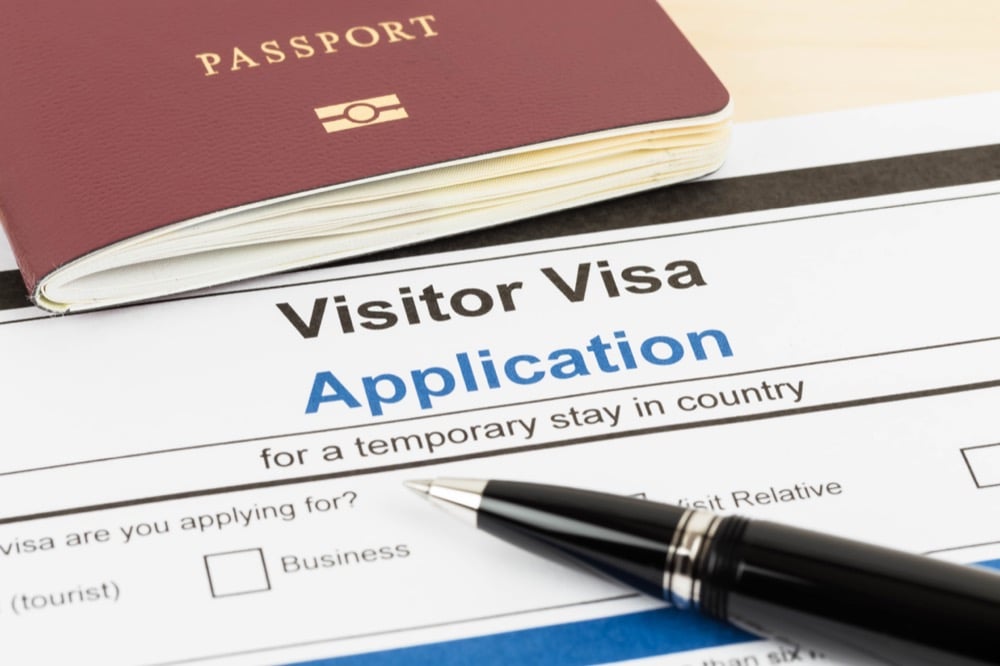
Immigration is the first major checkpoint after landing. The process is structured and efficient, but preparation determines how quickly you move through it.
What Happens at Immigration: Fingerprints and Photo
At immigration, you will:
- Present your passport
- Show your Visit Japan Web QR code
- Provide fingerprints
- Have your photo taken
These steps are standard for most international arrivals. The process is straightforward, but you are expected to follow instructions quickly as you move through the line.
Typical Waiting Times at Major Airports
Waiting times vary depending on arrival volume and time of day. At major airports such as Narita, Haneda, and Kansai, wait times can range from 20 minutes to over an hour during peak periods.
Flights arriving in the morning or early evening often experience higher congestion. Delays can increase if travelers are not prepared with documents or QR codes.
Using Visit Japan Web Fast-Track Lanes
Visit Japan Web allows you to use designated lanes for faster processing. By completing your registration in advance and generating QR codes, you reduce the need for manual form entry at the airport.
Staff will guide you to the appropriate lanes where your QR code is scanned. The streamlined system helps quicken the process and reduces overall waiting time.
Common Mistakes That Slow You Down
Several common mistakes can delay your progress during immigration:
- Not completing Visit Japan Web in advance
- Searching for QR codes while at the counter
- Relying on unstable airport Wi-Fi to load pages
- Not having a passport or documents ready
Avoiding these issues allows you to navigate immigration more efficiently and reduces stress upon arrival.
Visit Japan Web Guide: Step 2 Customs Declaration and Exit
After immigration and baggage claim, you proceed to customs. It is where you confirm what you are bringing into Japan and leads directly to the arrival hall.
QR Code vs Paper Form: What to Use
Japan offers both digital and paper customs declaration options. Visit Japan Web allows you to complete the process online and generate a QR code.
Using the QR code is faster and more convenient than filling out a paper form after arrival. Paper forms are still available, but they require manual completion and can slow down the process.
How Visit Japan Web Speeds Up Customs
With Visit Japan Web, your customs information is pre-registered. At the checkpoint, you simply present your QR code for scanning. It reduces the need for manual checks and allows you to move through customs more quickly, especially during busy arrival periods.
What You Need to Declare
You must declare certain items when entering Japan, including:
- Large amounts of cash
- Restricted or controlled goods
- Items exceeding duty-free limits
If you are unsure whether something needs to be declared, it is better to disclose it. Customs officers may ask additional questions if necessary.
Moving from Customs to Arrival Hall
Once you clear customs, you enter the arrival hall, where services such as Wi-Fi pickup, SIM card counters, transportation access, and luggage delivery are available.
The transition from customs to the arrival hall marks the end of the airport screening process. At that point, having internet access becomes essential for navigation, communication, and managing the next steps of your journey.
Visit Japan Web Guide: Step 3 Get Connected Immediately After Landing
Once you enter the arrival hall, getting connected to the internet should be your priority. Nearly every step that follows, including navigation, transportation, and communication, depends on having stable Wi-Fi access.
Why Wi-Fi is the First Thing You Need in Japan
Your smartphone becomes your primary tool immediately after arrival. You will rely on it to:
- Navigate train routes using Google Maps
- Translate signs and menus
- Access hotel details and booking confirmations
- Check transportation options in real time
Without Wi-Fi, even simple tasks such as finding the correct train platform or confirming your route can become difficult. In large stations and unfamiliar environments, real-time access is essential.
Free Airport Wi-Fi Limitations: Time Limits and Stability Issues
Free airport Wi-Fi is available at major airports, but it has several limitations:
- Time restrictions that require reconnection
- Login steps that interrupt usage
- Slower speeds during peak arrival hours
In crowded arrival areas, connection quality can drop significantly. If you rely solely on free Wi-Fi, you may experience delays when loading maps, QR codes, or travel information.
eSIM: Fastest Setup Before Arrival
eSIM is one of the fastest ways to get connected, especially if you set it up before departure. Once your plane lands, your device can connect immediately without needing to pick up any physical item.
However, eSIM compatibility depends on your device, and the setup must be completed correctly in advance. Some providers may also have data limitations or reduced speeds depending on the plan.
SIM Cards: Purchase Options at the Airport
Physical SIM cards are available at airport counters and vending machines. They provide reliable data access, but setup requires:
- Swapping your SIM card
- Configuring network settings
- Ensuring compatibility with your device
The setup process can take time, especially after a long flight, and may require assistance if instructions are unclear.
Pocket Wi-Fi: Best Option for Groups and Multiple Devices
Pocket Wi-Fi is a portable router that allows multiple devices to connect simultaneously. It is especially useful if you are traveling with others or carrying multiple devices.
Typical pocket Wi-Fi units:
- Support up to 5 devices
- Run on rechargeable batteries suitable for daily travel use
- Provide stable connections across urban areas
Pocket Wi-Fi eliminates the need to configure individual devices, making it a convenient option for consistent connectivity.
NINJA WiFi Airport Pickup: Connect Within Minutes of Arrival
NINJA WiFi offers airport pickup at major locations across Japan, allowing you to connect shortly after exiting customs. Devices are pre-reserved online and ready for collection, which helps you avoid delays.
After pickup, you can connect immediately and begin using navigation, translation, and transportation apps without interruption. Keep in mind that NINJA WiFi counters do not accept walk-ins or payments, so booking is required.
Visit Japan Web Guide: Step 4 Get a Suica or IC Card
After securing internet access, the next step is setting up your transportation payment method. IC cards such as Suica simplify travel on trains and buses, as well as everyday purchases.
What Suica is and Why You Need It
Suica is a rechargeable IC card used for public transportation and small payments across Japan. Instead of purchasing individual tickets, you tap your card at ticket gates for quick entry and exit.
Suica can also be used at:
- Convenience stores
- Vending machines
- Some restaurants and shops
Using a Suica card reduces the need to handle cash frequently and speeds up daily movement.
Where to Get a Physical Card at the Airport
Physical Suica cards can be obtained at airport train stations and ticket counters. Availability may vary depending on stock and location, so it is recommended to check upon arrival.
You can also purchase alternative IC cards that function similarly, depending on the region.
Mobile Suica Setup and Requirements
Mobile Suica allows you to use your smartphone as an IC card. Setup requires:
- A compatible device
- Adding the card to your mobile wallet
- Internet access for initial configuration and charging
Once set up, you can tap your phone at ticket gates just like a physical card.
Welcome Suica for Short-Term Visitors
Welcome Suica is designed for short-term visitors and does not require a deposit. It is valid for a limited period and works the same way as a standard Suica card. The card is a convenient choice for short stays, offering a simplified and easy setup.
Why Internet Access Helps with Setup and Charging
Internet access is important when setting up Mobile Suica or checking balances. Some features, such as adding funds through mobile payment systems, require a stable connection.
Without Wi-Fi, completing setup or resolving issues may take longer, especially if you need to follow instructions or access support.
Visit Japan Web Guide: Step 5 Withdraw Cash in Japan
Although Japan is modern and technologically advanced, cash remains an important part of daily transactions. Having yen on hand ensures you can pay when cashless options are unavailable.
Where to Find International ATMs at the Airport
International ATMs are available in arrival halls at major airports. These machines accept foreign cards and allow you to withdraw yen immediately after landing.
ATM locations are clearly marked, and instructions are typically available in multiple languages.
7-Eleven and Japan Post ATM
Two of the most reliable ATM options in Japan are:
- 7-Eleven ATMs, located in convenience stores and airports
- Japan Post ATMs, found in post offices and select locations
Both support international cards and provide consistent access nationwide.
How Much Cash You Should Withdraw First
A reasonable starting amount should cover transportation, meals, and small purchases for your first day. While the exact amount depends on your travel style, having a buffer in yen helps you avoid issues if cashless payments are not accepted.
You can withdraw additional cash later as needed, since ATMs are widely available in urban areas.
When You Will Need Cash vs Cashless Payments
Cash is still required in certain situations, including:
- Smaller restaurants and local shops
- Rural areas with limited card support
- Some transportation services
Cashless payments are increasingly common in cities, especially at major retailers and chain stores. However, carrying yen ensures you are prepared for any situation.
Visit Japan Web Guide: Step 6 How to Get to Your Hotel from the Airport
After completing arrival procedures, your final step is reaching your hotel efficiently. Japan offers multiple transportation options from major airports, and choosing the right one depends on your destination, budget, and luggage situation.
Narita Airport to Tokyo: Train and Bus Options
From Narita International Airport, the most common options to central Tokyo include:
- Narita Express (N’EX), which provides direct access to major stations such as Tokyo and Shinjuku
- Keisei Skyliner, which connects to Ueno and Nippori quickly
- Airport limousine buses, which stop at major hotels
Train options are faster, while buses may be more convenient if you are traveling with large luggage.
Haneda Airport to Tokyo: Fastest Routes
Haneda Airport is closer to central Tokyo, making transfers quicker and simpler.
Common options include:
- Keikyu Line, which connects directly to central Tokyo and subway lines
- Tokyo Monorail, which links to JR lines at Hamamatsucho
Travel time is typically shorter than it is from Narita, often under 30 minutes, depending on your destination.
Kansai Airport to Osaka: JR and Nankai Lines
From Kansai International Airport, you can reach Osaka via:
- JR Haruka Express, which connects to major JR stations
- Nankai Airport Express or Rapid, which provides access to Namba
Both options are efficient; the best choice depends on your final destination in the city.
Chubu Airport to Nagoya: Meitetsu Access
Chubu Centrair International Airport offers direct access to Nagoya via the Meitetsu Line.
The μ-SKY limited express train offers a fast, comfortable connection to central Nagoya, making it the most popular option for travelers.
Choosing the Best Option Based on Time, Cost, and Luggage
Selecting the right transportation method depends on your priorities:
- Speed: Express trains are the fastest option
- Cost: Local trains are more affordable but may require transfers
- Convenience: Buses and direct trains reduce the need to carry luggage through stations
If you are traveling with large suitcases, minimizing transfers can significantly reduce stress, especially in busy stations.
Why Navigation Apps Are Essential for Your First Journey
Navigation apps provide real-time guidance for routes, transfers, and platform information. At large stations, routes may change due to train schedules, delays, or congestion.
Without Wi-Fi, apps cannot update in real time, which increases the risk of taking the wrong train or missing a transfer. Reliable internet access ensures that you can adjust your route instantly and reach your hotel without confusion.
Visit Japan Web Guide: Common Arrival Mistakes and How to Avoid Them
Even with preparation, certain mistakes are common among first-time visitors. Avoiding these issues can significantly improve your arrival experience.
Not Completing Visit Japan Web in Advance
Skipping pre-registration often leads to delays at immigration and customs. Without QR codes, you may need to fill out forms manually, slowing the process.
Completing Visit Japan Web before departure ensures that you can use faster processing lanes and move efficiently through checkpoints.
Relying Only on Airport Wi-Fi
Airport Wi-Fi may appear convenient, but it often comes with limitations such as time restrictions, login requirements, and unstable connections.
Relying solely on free Wi-Fi can cause delays when accessing QR codes, maps, or booking information. Having a reliable internet option ready ensures uninterrupted access.
Not Setting Up Payment or Transportation Tools
Arriving without a Suica card, cash, or a clear transportation plan can create confusion when leaving the airport.
Setting up your payment methods and understanding your route in advance allows you to transition smoothly from the airport to your destination.
Underestimating Time Needed After Landing
Many travelers assume that airport procedures will be quick, but waiting times and multiple steps can extend the process.
Immigration, baggage claim, customs, and setup tasks such as Wi-Fi and transportation can take over an hour during busy periods. Planning with extra time reduces stress and prevents rushed decisions.
Visit Japan Web Guide: Frequently Asked Questions

Even with clear preparation steps, it is normal to have questions about how arrival works in Japan. The process involves multiple stages, and small uncertainties around timing, requirements, or setup can affect how smoothly everything goes. The following frequently asked questions address common concerns travelers have when using Visit Japan Web and navigating their first steps after landing, helping you move forward with confidence.
Do I Need A Visit Japan Web to Enter Japan?
Visit Japan Web is not mandatory, but it is strongly recommended. Using the system allows you to complete immigration and customs procedures in advance and access faster processing lanes.
Without it, you will need to fill out forms manually, which may increase waiting time.
How Long Does Immigration Take in Japan?
Immigration processing time varies depending on arrival volume and time of day. On average, it can take between 20 minutes and over an hour at major airports.
Using the Visit Japan Web and preparing documents in advance can help reduce waiting time.
Can I Buy a SIM or Wi-Fi at the Airport?
Yes, SIM cards and pocket Wi-Fi devices are available at major airports. However, purchasing on arrival may take additional time, and availability can vary.
Pre-booking or setting up your internet option before arrival allows for faster and more convenient access.
What Should I Do First After Landing in Japan?
The first priority after completing customs is to secure internet access. Reliable Wi-Fi allows you to navigate, communicate, and access important information to take the next steps in your journey.
How Do I Get to My Hotel Easily?
The easiest way to reach your hotel is to use the train or airport bus services, along with a navigation app. Enter your destination into Google Maps to receive real-time directions, including transfers and platform details.
Having internet access ensures you can adjust your route if schedules change or you need to find alternatives.
Visit Japan Web Guide: Start Your Trip Smoothly with NINJA WiFi
After completing immigration, customs, and initial setup steps, your ability to move confidently through Japan depends on one key factor: reliable internet access. From navigation to payments, nearly every part of your first day relies on staying connected without interruption.
Pick Up Your Device at Major Airports Across Japan
NINJA WiFi offers convenient pickup locations at major airports, including Narita International Airport, Haneda Airport, Kansai International Airport, and Chubu Centrair International Airport. Reserving your device in advance allows you to pick it up shortly after exiting customs, get connected within minutes, and begin using essential apps without delay.
Avoid Connectivity Issues from the Start
Relying on free airport Wi-Fi can create unnecessary friction at the most important stage of your trip. Time limits, login requirements, and slow speeds during peak hours can prevent you from accessing important information when you need it most.
NINJA WiFi provides a stable and private connection, allowing you to:
- Access Visit Japan Web if needed
- Check transportation routes in real time
- Communicate without interruptions
Having a dedicated connection ensures that you do not lose time dealing with unreliable networks.
Use Maps, Translation, and Payments Immediately
With NINJA WiFi, your smartphone becomes fully functional from the moment you arrive. You can:
- Navigate train routes using Google Maps
- Translate menus and signs using translation apps
- Set up and manage mobile payments such as Suica
Instead of searching for Wi-Fi or troubleshooting connectivity issues, you can focus on reaching your destination efficiently.
Make Your First Hour in Japan Stress-Free
The first hour after landing involves transportation, payments, and communication—all of which depend on reliable internet—so NINJA WiFi keeps you connected to navigate, confirm bookings, and adjust plans in real time without delay.
Register and reserve your NINJA WiFi device before your trip and ensure seamless connectivity from the moment you land. Avoid delays, stay connected across multiple devices, and make your arrival in Japan smooth and stress-free.
Conclusion
Arriving in Japan does not have to be complicated. With the right preparation, you can move efficiently from the plane to your final destination without unnecessary delays.
By completing Visit Japan Web in advance, preparing your documents, and understanding each step of the arrival process, you reduce uncertainty and gain control over your first hour in the country. From immigration and customs to transportation and payments, each stage becomes more manageable when you know what to expect.
Reliable internet access plays a central role throughout your trip. Navigation, translation, and real-time updates all depend on staying connected, especially in unfamiliar environments.
To ensure seamless connectivity from arrival to departure, consider NINJA WiFi, which offers a range of flexible Wi-Fi plans suited to different travel styles and data needs. With the right setup in place, your arrival in Japan becomes smooth, efficient, and stress-free, allowing you to focus on enjoying your trip from the very beginning.