




Hotel Wi-Fi in Kyoto: What To Expect and How to Stay Connected Beyond the Hotel
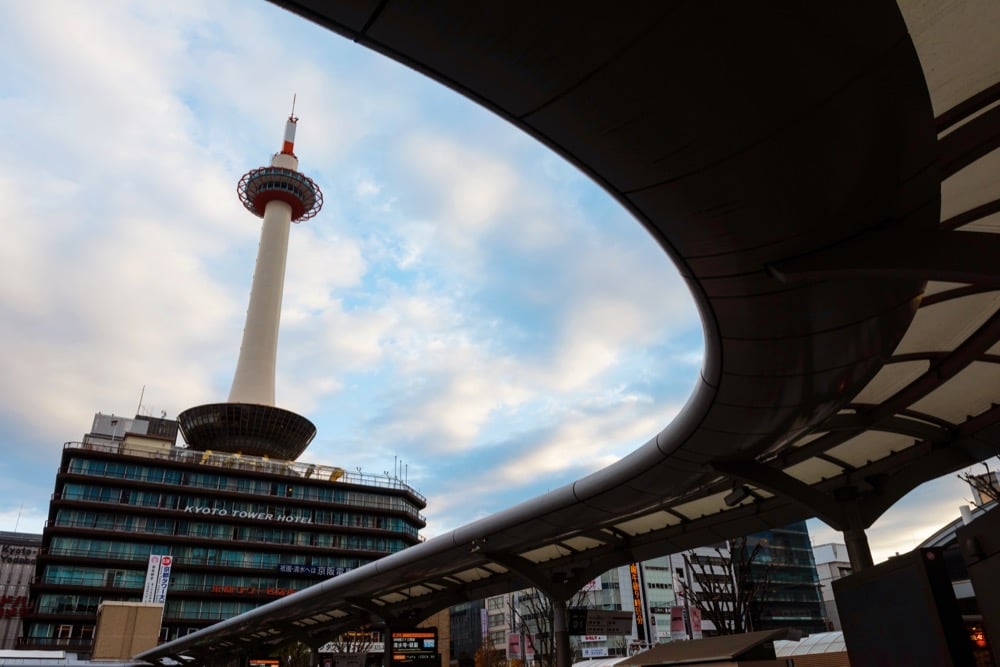
Kyoto offers an unusually diverse range of places to stay, from sleek international hotels to centuries-old ryokan and compact machiya townhouses tucked into quiet neighborhoods. Each accommodation style brings its own character—and its own approach to internet connectivity.
Hotel Wi-Fi in Kyoto is influenced by more than service level alone: historic buildings often rely on retrofitted wiring and thick wooden or plaster walls that weaken signals. At the same time, smaller properties may operate a single shared network for all guests. Even modern hotels can struggle during peak travel periods, when dozens of travelers simultaneously connect their phones, laptops, and tablets. As a result, Wi-Fi quality can vary widely from one hotel to the next, and even from one room to another.
The real question for travelers is not whether Kyoto hotels offer Wi-Fi, but whether that connection will meet everyday needs throughout the trip, especially if you plan to stay for an extended period. Knowing when hotel Wi-Fi is likely to work—and when it may fall short—makes it easier for you to plan and avoid unnecessary connectivity stress while exploring the city.
Testing Your Hotel’s Wi-Fi in 5 Minutes
A quick test right after check-in can reveal whether your hotel’s connection will support your plans or become a daily inconvenience; here’s how to do it.
Run a Speed Test
Start by running a speed test as soon as you connect to the hotel’s Wi-Fi network. For basic browsing and messaging, modest speeds may be enough. Still, video calls demand more stability: a smooth Zoom or Google Meet call typically requires around 10 Mbps download and 3–5 Mbps upload, along with consistent performance rather than short bursts of speed. Fluctuations, dropped upload rates, or sudden slowdowns often signal network congestion.
Business travelers and remote workers frequently uncover these limits within minutes; the sooner you identify slow speeds, the sooner you can set up a backup connection, rather than discovering the problem moments before a meeting or deadline.
Identify Where Wi-Fi is Strongest in Your Room
Signal strength can vary dramatically even within the same room. Routers are often placed in hallways or shared areas, and walls or doors can block or weaken the signal. Test the connection near the desk, beside the bed, and close to windows to determine where Wi-Fi performs best.
Many travelers end up working or streaming from a single spot where the signal is strongest, even if it is not the most comfortable place to sit. Knowing these limitations early makes it easier to adjust your setup—or decide whether relying solely on hotel Wi-Fi will be practical for the duration of your stay.
Common Problems When Depending on Hotel Wi-Fi in Kyoto

Relying solely on hotel Wi-Fi in Kyoto can feel convenient at first, yet the connection often reveals practical limitations once daily travel routines begin. Below, we’ll help you understand the most common issues travelers encounter with hotel Wi-Fi so you can avoid surprises and plan around predictable weak points.
Old Kyoto Buildings Make Wi-Fi Signals Unreliable
Kyoto’s historic architecture plays a major role in uneven Wi-Fi performance. Traditional structures feature thick wooden beams, plaster walls, sliding doors, and tatami rooms that absorb or block wireless signals. In ryokan and renovated machiya townhouses, routers are frequently added as an afterthought rather than integrated into the original design, leading to patchy coverage in guest rooms.
Understandably, many of these properties prioritize preserving atmosphere, privacy, and traditional layouts over network optimization. Yet, as a result, hotel Wi-Fi may perform well near common areas but weaken noticeably in rooms, especially those farther from access points.
Evening Congestion Slows Wi-Fi for Everyone
Network congestion becomes most noticeable in the early evening, when guests return from sightseeing. Photo uploads, video streaming, cloud backups, and video calls with family back home all compete for the same shared bandwidth. Even hotels with generally positive reviews can experience sharp slowdowns during these peak hours.
In this way, speeds that feel acceptable in the morning often drop significantly at night, making tasks like navigation planning, remote work, or streaming unreliable. It’s only natural that shared networks rarely scale smoothly when dozens of guests connect multiple devices simultaneously.
Device Limits and Login Restrictions on Guest Wi-Fi
Additionally, many hotels impose limits on guest Wi-Fi to manage network load. Common restrictions include caps on the number of devices per room, repeated browser-based logins, or automatic session timeouts after periods of inactivity. However, reconnecting several times a day quickly becomes tedious.
You’re especially likely to feel these limits acutely if you are traveling with several devices, such as smartphones, tablets, laptops, and Wi–Fi–enabled cameras. Switching between devices, re-entering passwords, and reloading login pages disrupts simple tasks and adds complexity to what could be effortless connectivity.
Why Hotel Wi-Fi Stops Being Useful Once You Step Outside
Still, if you’re not too demanding, hotel Wi-Fi may feel sufficient while resting in your room. However, its usefulness ends at the front door. Once outside, you’re left with no stable connection to depend on within the former Japanese capital.
Losing Connection Affects Navigation and Sightseeing
Hotel Wi-Fi disconnects the moment you leave the building, cutting off access to maps and real-time directions. In Kyoto, many temples and shrines are tucked away in quiet residential areas, where street signs are scarce, and English signage is limited. Walking routes often change, buses frequently replace trains, and timetables vary by stop, indicating that live navigation makes a substantial difference in your daily experience.
Searching for a café down an unmarked side street, confirming the correct train platform, or adjusting routes during sudden rain becomes far more difficult without a reliable connection. Offline maps help to a point, but they cannot provide live transit updates, route changes, or location-based recommendations that travelers rely on throughout the day.
Communication and Translation Become Harder Without Mobile Internet
Language support becomes another challenge without mobile data. Translating menus, reading posted notices, or understanding brief conversations with shop staff is much faster and easier with translation apps. Gaps in connectivity turn simple interactions into guessing games, especially in smaller restaurants and local businesses.
Staying in touch with family and friends also becomes less convenient: sharing photos, sending updates, or responding to messages in real time often has to wait until returning to the hotel. For many travelers, that delay interrupts both communication and the ability to document experiences as they happen while exploring Kyoto.
Complementary Options to Hotel Wi-Fi

You now know that while hotel Wi-Fi can handle basic needs within the building, staying connected throughout Kyoto often requires an additional solution. Below are several alternatives that complement hotel Wi-Fi well and accommodate various needs based on travel style, group size, and data usage.
Pocket Wi-Fi as a Reliable Companion
Pocket Wi-Fi works particularly well for families, small groups, business travelers, and visitors staying in Japan for an extended period. A single device can connect multiple phones, tablets, and laptops at once, allowing everyone to stay online while sharing the cost. Coverage remains stable across the entirety of Kyoto, from your hotel to suburban districts, and will keep working as you travel to other Japanese regions.
One of NINJA WiFi’s greatest assets is its flexibility: devices can be picked up at 10 different airports, used throughout the country, and returned in Kansai without returning to the original pickup location. Daily data plans vary to match different usage levels, from 1GB per day to Infinite Unlimited plans, with the additional benefit that all plans are technically unlimited: maps, messaging, and navigation can be used even after high-speed data thresholds are reached.
SIM and eSIM Options for Light Travelers
SIM cards and eSIMs suit solo travelers who prefer carrying as little as possible and whose phones are unlocked and compatible. Once activated, these options provide direct access to local networks across Kyoto without needing an external device.
eSIMs eliminate the need for physical pickup, making them especially appealing for travelers who want to be connected immediately upon landing. Coverage remains reliable throughout the city, and plans can also be selected based on trip length and expected data use.
International Roaming as a Backup Option
International roaming can work as a fallback in specific situations. Short stays, repeat visitors familiar with Kyoto, or travelers confident navigating with offline maps and saved information may find roaming sufficient for occasional lookups or messages.
Costs, however, add up quickly, and speeds are often slower than local options; we recommend checking your local carrier’s roaming terms before you travel. Relying on roaming for daily navigation, translation, or photo sharing can be expensive, making it better suited as a temporary backup rather than a primary connection.
Conclusion
Hotel Wi-Fi in Kyoto offers convenience, but reliability varies widely. Building age, traditional layouts, network capacity, and peak usage hours all influence performance, so that a connection that works well in the morning may struggle later in the day or in certain rooms. Expectations shaped by hotel category alone rarely tell the full story. And ultimately, hotel Wi-Fi only works in the hotel; the moment you are outside, you will need a complementary solution.
Services such as NINJA WiFi provide a dependable way to stay connected beyond hotel walls, supporting maps, translation apps, and real-time communication at all times; book ahead and make sure to stay connected from the moment you land in Japan until the day you depart.